Maintenance alert

MyDORWAY will be unavailable on Saturday, January 10 at 5:00 AM until noon while we perform scheduled maintenance. Thank you for your patience as we work to better serve you!

South Carolina taxes income earned here. South Carolina residents are usually required to file an SC Individual Income Tax return if they are required to file a federal return. 

2025 LEGISLATIVE UPDATE – A list of significant changes in tax and regulatory laws and regulations enacted during the 2025 legislative session is available from the SCDOR Policy Division. Review Information Letter 25-11.

CONFORMITY – As of the 2025 Legislative Session, South Carolina conforms to the Internal Revenue Code as of December 31, 2024, except as otherwise provided. If Internal Revenue Code sections adopted by South Carolina which expired on December 31, 2024 are extended, but otherwise not amended, by congressional enactment during 2025​, these sections are also extended for South Carolina Income Tax purposes in the same manner that they are extended for federal Income Tax purposes.

REDUCTION IN INDIVIDUAL INCOME TAX RATES – The 2025 top marginal Individual Income Tax rate is 6% on taxable income. Use the 2025 Tax Tables (SC1040TT) to determine your tax.

INCREASE IN SOUTH CAROLINA DEPENDENT EXEMPTION (line w of the SC1040) – The South Carolina dependent exemption amount for 2025 is $4,930 and is allowed for each eligible dependent, including both qualifying children and qualifying relatives. 

Additional resources

Filing tips

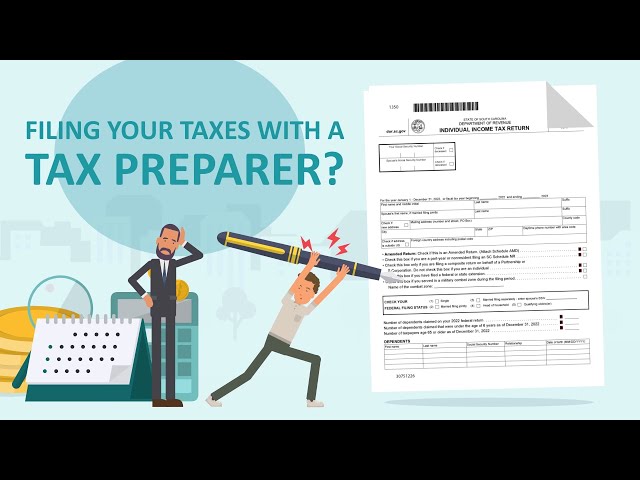
Taxpayers should be aware that there are some tax preparers seeking to unlawfully take advantage of unsuspecting clients. The SCDOR urges South Carolinians to be cautious and informed when selecting tax preparation assistance.

The Internal Revenue Service offers the following tips to help taxpayers make an informed decision on selecting a tax preparer:

  • Check the preparer’s qualifications. All paid tax return preparers must have a Preparer Tax Identification Number (PTIN). You can use the IRS Directory of Federal Tax Return Preparers with Credentials and Select Qualifications to help find a preparer.
  • Check the preparer’s history. Find out if the preparer has a questionable history with the Better Business Bureau and check for any disciplinary actions and the license status of credentialed preparers. Check with state boards of accountancy for certified public accountants; state bar associations for attorneys; and the IRS Office of Enrollment for enrolled agents.
  • Ask about their service fees. Avoid preparers who base their fee on a percentage of your refund or those who claim they can obtain larger refunds than other preparers.
  • Ask to e-file. The quickest way to get your refund is to electronically file and use direct deposit.
  • Make sure the tax preparer is available. Make sure you will be able to contact the tax preparer after the return has been filed, even after the April due date, in case you have questions.
  • Provide records and receipts. Good preparers will ask to see a taxpayer’s records and receipts. They’ll ask questions to figure things like the total income, tax deductions, and credits.
  • Never sign a blank return. Avoid tax preparers that ask you to sign a blank tax form.
  • Review the entire return before signing it. Before you sign your tax return, review it and ask questions. Make sure you understand everything and are comfortable with the accuracy of the return before you sign it.
  • Avoid preparers who refuse to sign a return they prepare or assist in preparing, on paper or electronically. The IRS calls these “ghost” preparers. They may require cash payments and not give receipts. They also may direct any refund into their bank account.
  • Review details about your refund. Make sure your refund goes directly to you - not to the preparer's bank account. Review the routing and bank account number on the completed return.
  • Report Abusive Tax Preparers to the IRS. Most tax return preparers are honest and provide great service to their clients. However, some preparers are dishonest. Report abusive tax preparers and suspected tax fraud to the IRS. Use Form 14157, Complaint: Tax Return Preparer.

Read the full IRS article here.

A strong password is the first line of defense for protecting your personal data online. Passwords are necessary for a majority of our online activities, including filing taxes, social networking, online banking, and paying bills. Creating complex and unique passwords help to keep your information more secure.

A strong password should:

  • Not be shared or written down in an open area. If you write down your password, lock it up in a secure area.
  • Contain at least one capital letter (A-Z), one lowercase letter (a-z), one number (1, 2, 3…), and one special character (*!#>/%@…)
  • Be changed on a regular basis — once a quarter, or as the seasons change

Passwords should NOT:

  • Be written down
  • Contain the user id, user’s name or initials, or family member names
  • Contain other personal identifying information (nicknames, license plates, home address, Social Security Number, birthday)
  • Be used on more than one site

Tip:

  • When creating a password, try something that’s easy for you to remember but hard for a hacker to guess, like a passphrase.
    • A passphrase is a password composed of a string of words. You can easily turn a sentence into a complex and secure password.
    • For example: Br0wnCow@teMyH0m3work!

You can also use a password manager that creates unique passwords and stores your encrypted data. That way if one site is compromised, the password cannot be used on other websites to compromise additional accounts.

Find more tips on online security on our Security Center.

The South Carolina Department of Revenue (SCDOR) is committed to keeping taxpayer information secure and helping to educate and inform taxpayers about potential identity theft and fraud threats. Follow these steps to help protect yourself and your family.

  1. Educate yourself and your family on potential scams, phishing attempts, and how to avoid them by utilizing IRSSCDOR and SC Department of Consumer Affairs information.
  2. Protect your personal information. Make complex online passwords. Do not use the same password for multiple sites. Keep sensitive paper documents locked in a filing cabinet.
  3. Be careful with your money. Know who you’re dealing with in any situation involving monetary transactions. Don’t send money to unestablished charities. Don’t play foreign lotteries. Don’t agree to deposit a check and wire money back. Research a company before you invest. Always be wary of unsolicited offers.
  4. Review your monthly statements carefully for any unauthorized charges. Thieves can steal your account information and run charges on your debit and credit cards. If you notice any strange charges, contact your bank or credit card company immediately.

Look for more tips and information regarding scams, phishing emails, and identity theft from the US Securities and Exchange Commission, the Federal Trade Commission, the IRS, and the SCDOR.

The SCDOR wants to be sure we are sending your tax information to the right place and to the right person. Notify us if your name changed or you have moved or changed your address since you last filed a South Carolina Individual Income Tax return.  

Changing your legal name

Filing using a different name than we have on record can slow down processing and even delay your refund. If you've legally changed your name, update it with us before filing using our free online tax portal, MyDORWAY

  1. Log in to MyDORWAY.
  2. Select the More tab.
  3. Select Manage Names & Addresses under the Name & Addresses section.
  4. Select the name in the Legal panel.
  5. Select Change this name.
  6. You’ll be prompted to upload a copy of at least one of the following to confirm your legal name change.
    • Real ID
    • Social Security card
    • Court order
    • Marriage license
    • Divorce decree
    • ITIN document from the IRS

If you don’t have a MyDORWAY account, sign up now! Or you can submit the SC8822I to update your legal name.

Changing your address

  • Use your new address when you file your SC1040 and check the box to let us know it’s a new address.  If you have not yet moved, but you will be moving to a new address soon after you file, use the new address on your return.
  • For faster results or to update your address when you don't have a return due, use our free online tax portal, MyDORWAY.
    1. Log in to MyDORWAY.
    2. Select the More tab.
    3. Select Manage Names and Addresses under the Names and Addresses section.
    4. Select the Addresses tab.
    5. Select your address.
    6. Select the Change this address option 

If you don’t have a MyDORWAY account, sign up now! Or you can submit the SC8822I to update your address.

Mailing addresses

Tax return mailing addresses are listed on the form. Please use the appropriate address, including the entire zip code.

Refunds or no tax due (SC1040/SC1040NR)All balances dueEstimated Tax (SC1040ES), Extension (SC4868) or Voucher (SC1040V)Correspondence
SC1040 Processing Center
PO Box 101100
Columbia, SC
29211-0100
Taxable Processing Center
PO Box 101105
Columbia, SC
29211-0105
South Carolina Department of Revenue
IIT Voucher
PO Box 100123
Columbia, SC
29202
South Carolina Department of Revenue
Income Tax
PO Box 125
Columbia, SC
29214-0400